Showing posts with label 21stCentury. Show all posts

Thursday, May 22, 2025

Tech evolves continuously, Schools lag behind

I argue that the relevant metaphor to build a successful tech group these days is “low floor, high ceiling, wide walls and open windows”.

This approach, promoted by Mitch Resnick at MIT and Yasmin Kafai (source), led to the tremendous growth of Scratch, from 2007. In April 2024, the Scratch team announced that one billion projects had been developed. See Footnote(1) for more of this history and explanation of the house metaphor.

After thought: I ought to mention too, my favourite article about the design of construction kits, written by Mitch Resnick and Brian Silverman. I wrote a summary of this back in 2019, with a link to the original. Their point 5: Simplicity works; their point 7: You can achieve a lot with a little.

All the technology has continued to evolve rapidly. It becomes cheaper and more user friendly. This applies to coding tools, design tools and making tools. Many of the tools are Free or Open Source (FOSS) which reduces barriers to access and attracts communities.

The 21stC making tools which are not free (eg. 3D printers - although some companies such as Prusa do have Open Hardware; laser cutters and more) continue to reduce in cost. One aspect of this is that 21stC making becomes more accessible to a wider audience. This should mean that a tech group should have no problem growing. School students can be part of this since schools are notorious for not keeping up with new developments.

I argue for a beginner’s courses accessible to Middle School students which then lead into more advanced courses (aka mechatronics, making devices which integrate electrical and mechanical processes).

Coding: With block coding, eg. Scratch, MakeCode, students can make something interesting with the process being transparent within 10 minutes.

Design: With Tinkercad you can quickly make 3D objects. This can lead onto more advanced design tools later (eg. KiCAD, openSCAD, Fusion 360)

Making: You can begin with cardboard and then move onto LEGO, 3D prints and laser cuts to make interesting constructions readily. Free designs are available at thingiverse, Printables and other sites.

Micro-controllers: The microbit or Circuit Playground can control neopixels, servos and communicate with each other. They also have A and B control buttons on the board. This can lead onto more complex controllers such as arduino, bread boarding and circuit construction / printed circuit boards.

Microbit or Arduino? I argue for microbit usage in the middle school (years 5-9) and then move onto arduino in the senior school (years 10-12). Start with the low floor and move onto the high ceiling will engage more students. See Footnote 2 for three articles, microbit versus arduino, which support my viewpoint here.

It should be acknowledged that the arduino was a revolution which began in 2005. Open hardware, low cost and easier to use than what came before. The thesis which kicked off the arduino was titled, “Arduino–La rivoluzione dell’open hardware” (“Arduino – The Revolution of Open Hardware”). Reference

Similarly, the micro:bit was a revolution which began in 2015. The floor was lowered further given more users access to microcontrollers. Reference

Project based learning: Many diverse projects can be made where an interesting or inspirational idea can be designed, made and controlled. This builds skills and whets the appetite for more. Once this pattern is established more complex design, coding and making techniques can be further developed.

This is a well established international educational trend beginning with Seymour Papert 50 years ago. LEGO Mindstorms was named after his book, "Mindstorms", written in 1980. He initiated a learning theory called constructionism. The 21stC Maker Movement kicked off in a big way around 2005 when Neil Gershenfeld built the first FabLab at MIT and offered a course called “How to Make almost Anything”.

Some schools are coming on board in Australia (especially Privates) because there is a recognition that STEM or STEAM is both important and engaging. But it is also true that many schools are locked into an ACARA curriculum tick the box model and so fall well short of utilising the full potential of the 21stC Maker movement.

Some brief additional information about existing groups, international and local:

Constructing Modern Knowledge (CMK). Gary Stager has been actively promoting constructionist learning in Australian schools for decades. His group offers workshops and books.

FabLabs: The Fab Labs grew exponentially around the world after 2005. See the map.

Paulo Blikstein has promoted Fab Learn Labs, a school version of FabLabs. Search this blog for some summaries of his outstanding articles.

Whittlesea Tech School, Melbourne PolyTechnic STEAM engine offer a range of courses to surrounding schools in Melbourne

Tech Explorations: Peter Dalmaris, Australia offers advanced online courses. mmm ... even if you don't go lower floor (eg. with the microbit), you can still go wider walls, as illustrated by the diverse options on Peter's site.

Adelaide groups: I am just listing Adelaide tech groups I have become aware of over the past year. I am not attempting to publicly evaluate their success based on the broad criteria outlined in this article, at this stage:

Maker Space
TechSpace Learning
Hackerspace Adelaide
South Australia Micro Controller group (SAMG)
42 Adelaide
Computer Science Education Research Group at Adelaide Uni run online courses in computing fundamentals and lend out construction kits to schools.

Footnotes:

(1) This tests the memory. The Logo language, which preceded Scratch was popular at educational computing conferences in the late 1980s and early 1990s. The educational rationale back then was, in part, to provide a more interesting and engaging way to teach maths. However, when the www came along that popularity died. Living then in Adelaide, Australia, I knew only one other Logo enthusiast. However, I used to participate in the Usenet comp.lang.logo group. Description by Brian Harvey; archive. I remember it as being down the bottom in the usage statistics of all the Usenet groups. However, with the advent of Scratch, Logo was transformed into a multimedia, story telling fun machine. With the conversion to block code (low floor), diverse project multimedia features (wider walls) and remixing / online comments and Likes (open windows) the Scratch version of Logo flourished again.

(2) Three article which argue that the microbit is better for beginners but that to continue the path to mechatronics, you can do more with the arduino:

https://mp.moonpreneur.com/blog/microbit-vs-arduino/
Extract:
Both micro:bit and Arduino offer unique strengths and benefits for DIY electronics projects. Micro:bit excels in simplicity, accessibility, and educational applications. This makes micro:bit a good choice for beginners and educational settings. 

Conversely, Arduino provides versatility, expandability, and a robust community support system, making it ideal for more complex and ambitious projects.
https://www.instructables.com/Comparison-Between-Microbit-and-Arduino/
https://picobricks.com/blogs/info/microbit-vs-arduino

Monday, April 22, 2024

Missing in Australia: 21st C Maker Ed Jobs

Fab Learn Jobs Board

This Job Board is open to "educational makerspaces around the world" but for some strange reason I never see Australian jobs advertised here. Oh, yes, I am being ironic and rhetorical. IMO an important reason, although not the only one, is that we have a one size, (doesn't) fits all, national standards based curriculum called ACARA.

Why aren’t jobs like this being advertised in Australia? Or, if I have missed them then please show me where they are?

Posted March 21, 2024
Westfield State University:
Research, Innovation, Design and Entrepreneurial (RIDE) Center Coordinator
General Statement of Duties: Full time salaried position
The RIDE Center coordinator will support the Executive Director in managing the equipment, space, and programming. The space includes a design studio and MakerSpace with 3D printers, Adobe and other equipment software, laser cutter, woodworking, sewing, computer programing, vacuum formers, and circuitry tools. They will help to coordinate and contribute to a positive user experience, managing classroom, student, and community visits and activities, helping with scheduling events, communication, student support, preparation of reports/assessments, administrative/office tasks, and other RIDE center needs. They will assist with coordination of student interns, work study, and graduate assistants, and community engagements associated with RIDE centers. They will assist the Executive Director with RIDE expositions, workshops, speaker series, and other events, as well as training students, faculty, staff, and community on equipment and software use within the center.
Posted March 21, 2024
St Mary’s School in Orange County

St. Mary’s School is an independent day school that serves over 700 students, Pre-K through Grade 8, in Aliso Viejo, CA. As the only independent school in Orange County that offers the international baccalaureate (IB) program from primary school through middle school, St. Mary’s is committed to a globally-minded and innovative curriculum that, in many ways, stands alone within the educational landscape in Orange County. St. Mary’s students are prepared not only for the next steps in their educational journey, but also to become courageous, caring, global citizens and enlightened leaders of tomorrow.

This summer, construction will begin on a 28,000 square foot facility which will include a design center comprising five specialty labs and a gallery space. The director of the design center will lead the transition into this new space, oversee the design center and its resources, and collaborate with faculty and academic leadership to fully integrate design thinking with St. Mary’s outstanding IB and design-centered curriculum. The director of the design center will report to the director of technology and innovation, and will bring an expertise in design thinking and a relational approach to leadership to the role. St. Mary’s looks forward to welcoming the director of the design center to start July 1, 2024, or later by mutual agreement.

Posted June 1, 2023
Lab Instructor for The da Vinci Lab (DVL) for Creative Arts & Sciences
St. Stephen’s Episcopal School-Houston is looking for a full-time Lab Instructor for The da Vinci Lab (DVL) for Creative Arts & Sciences (DVL) – a makerspace for students in 1st  to 8th grades. The goal of the program is to offer a creative space for students that inspires collaborative learning and cross-pollination of learning techniques and creative skills. The Lab Instructor teaches maintenance and use of equipment, sets and delivers the yearly curriculum for DVL, and records the ways in which learning and making take place within the space.
Posted June 1, 2023
Maker Space Manager, UC Santa Barbara Library
Responsible for the day-to-day operational management of a new Library service for UCSB students to engage in making activities. Develops opportunities for experiential and project based learning with digital and non-digital creative technologies for varying skill levels. Maintains high levels of customer service in the delivery of Makerspace services. Supervises student assistants in providing peer-to-peer support for project design and creation and ensuring safe use of equipment. The inaugural Makerspace Manager will be an integral part of ensuring a smooth launch of the Makerspace and for informing the development of its service portfolio.
Posted February 28, 2022
Location: Cincinnati, Ohio, U.S.A.
Position Overview:

Seven Hills Middle School seeks an inspiring, high-energy, and passionate teacher to serve as Director for our signature Innovation Lab.  Housed in a specially designed makerspace in our new, state-of-the-art Middle School building, the Innovation Lab program engages students in a series of sequenced projects designed to foster design thinking skills. In an empathy-based approach, students consider the needs or challenges faced by others as they work in project teams to conceptualize, design, prototype, test, fail, iterate, and, in many cases, present their fabrications to authentic audiences.

In preparation for these projects, students learn a series of fabrication and design skills. Sixth-grade students develop basic skills as they work with hand, power, and digital tools on projects that include designing for others. Seventh-grade students dive more deeply into the engineering design process. They explore and develop spatial reasoning, empathy, and creative thinking skills as they take on a series of challenges. An eighth-grade Computer Science elective course teaches students to use loops, variables, functions and conditionals to build efficient and adaptable computer programs. Students also design, build, and program robotic devices. In addition to teaching courses, the Innovation Lab Director supports student-driven projects each day during lunch. All student projects increase in scope, complexity, and sophistication as they acquire new skills, but the basic formula is to help students learn to understand and empathize with challenges faced by others and to use their creativity and imagination to design effective solutions.

Friday, March 29, 2024

21stC Maker Education: The Big Picture

These are my more substantial, big picture, publications, gathered in one place (there are many other more detailed descriptions of particular apps or hardware toys I have made not listed here):

Fab as a new Literacy (December 2024)

Fab Transformation Hurdles (December 2024)

The Conversational Framework (July 2024)

Missing in Australia: 21st C Maker Ed Jobs (April 2024)

My Skinner Moment (April 2024)

Seymour Papert: The Gears of my Childhood (April 2024)

Bits and Atoms, part one (April 2024)

Educational Software: Designed by Kids for Kids (December 2023)

Turtle Art Tile Project: Series of articles (July-November 2023)
learning and teaching Turtle Art
Turtle Art Tile Project Conclusion
Turtle Art Tiles Project

The tower of AI babel (October 2023)

Children are not hackers (October 2023)

Student engagement is a variable (September 2023)

Papert's ideas: Mainly from Mindstorms (September 2023)

The Inevitable: Introduction (August 2022)

Innovative 21stC Maker Education Pathway (April 2022)
an innovative 21stC maker ed pathway (part two)
an innovative 21stC maker ed pathway (part one)

Whittlesea Tech School (April 2022)

innovation meets resistance: the war between ancients and moderns (April 2022)

Own your own factory, that makes more factories (March 2022)

Organising a 3D printer building activity (January 2022)

the 3 game changers: high level overview of the possibilities (September 2021)

21st Century Curriculum (September 2021)

Thoughts on reading Paulo Blikstein, the founder of the Fab Learn Schools Movement (August 2021)

dotted circles revisited (July 2021)

The Wider Walls in a book commemorating the 50th anniversary of the seminal paper by Cynthia Solomon and Seymour Papert, “Twenty Things to Do with a Computer.” (April 2021)

Self sufficient production (brief update of the Fab Lab proposal: April 2023)
Your town need a community Fab Lab (July 2021)

Maker Space and Middle School Curriculum Reform (June 2021)

don't separate the what from the how (January 2021)

Culturally Situated Design Tools: Dotted Circles Exemplar (December 2019)

The three game changers and disadvantaged youth (Nov 2019): presented to and discussed with Leon Tripp, Regional Youth Programs Coordinator, Southern Region, Department of the Chief Minister and Cabinet

integrating the digital technology curriculum with indigenous knowledge systems (October 2019)

how to evaluate construction kits: ten design principles (July 2019)

my evolving mangle -> ethnocomputing (July 2019)

Digital Innovation in Secondary Schools (July 2019) Submission to The Education and Health Standing Committee (a committee of the Western Australian Legislative Assembly) inquiry into Digital Innovation in Secondary Education

The teaching of coding (Jan 2019)

an old quote from Hal Abelson (December 2018)

technology as trickster, revisited (April 2018)

why software might be superior knowledge (April 2018)

Sunday, May 15, 2022

an innovative 21st C maker ed pathway (part two)

PART TWO: EXEMPLARY SAMPLE SUBJECTS

Part two outlines a variety of engaging subjects that could deliver different aspects of the 21st C maker ed pathway.

The 3 game changers are block coding, physical computing (eg. the micro:bit) and the fab lab or maker space. I agree with this insight which comes from Sylvia Martinez and Gary Stager in their book "Invent to Learn". I argue that to have a genuine 21st C education your school has to understand and grasp these game changers firmly and run with them.

I describe below possible courses which constitute school curriculum reform informed by these game changers. Some could be taught as standalone subjects, others could become part of a curriculum integration endeavour, combining various existing subjects. These curriculum offerings can be classified or parsed in various ways. Some of them are:
  • which traditional subjects are integrated (computational thinking invades all subjects)
  • by appropriate year levels
  • appeal to girls (who have missed out in the past)
  • appeal to groups of special interest (indigenous, the disadvantaged)

I have avoided putting lots of links in the main text. Look to the extended reference section at the end for some additional information and links to original sources.

1) Scratch Story Telling (suitable for year 5,6 and 7 mainstream classes)
Scratch multimedia coding is for telling stories in an interesting and entertaining way. I have developed several iterations of an 18 lesson course I teach to Year 7s. Initially the stories are guided with such titles as “The Cat Walks”, “Letter Magic” and “Weird Animals”. Once students have a handle on the basics of Scratch I set them a CyberSafety project which they design themselves to tell a story about on line bullying and what to do about it.

2) ArtBotics (suitable for year 7s Mainstream and Bridging students)

I put a proposal to my school for a new course, called Artbotics, a portmanteau of Art and Robotics. The course application was successful. Gender balance is important so the outcomes do not reflect “toys for the boys”. The art and craft components of the projects should have appropriate weight. Artbotics rather than robotics. Build provocative, tangible sculptures with robotic actuation and sensing

The original “Artbotics” idea came from the PhD thesis of Jennifer Cross.

In one version of this course I use materials developed by Rob Morrill for the Circuit Playground Express (CPX). Rob's course contains 12 guided projects. I have made several of these with Bridging Year 7 students successfully (Light Box, Balance Board, Helmet, Fabric Friend, Gondola and Light Bot) and use them for demos when explaining the benefits of the CPX.

3) Makey Makey musical instruments (suitable for Primary or Middle School students; I have used this activity with indigenous students at Polly Farmer successfully)

Makey Makey can be used to replace the keyboard with other objects such as fruit or alfoil. In conjunction with Scratch students can make a banana piano, cardboard guitar, tin drum or an egg container organ. These activities are very engaging.

You can do a lot more with Makey Makey. See the links in the reference section to Makey Makey and also the books by Josh Burker.

4) Turtle Art (suitable for Middle School students)

Students like this arty version of logo a lot! So far I have used this in two ways:
(a) Bottom up – draw a square, then work out how to draw various regular polygons, then explain how the colours work etc
(b) Top down. Give students the code of an attractive finished product. Copy the code to make it. Students love doing this because the final products are so attractive. The cards I use come from a link to a pdf from an article by Gary Stager "Turtle Art Software".

5) Build a 3D printer (suitable for after school elective activity for year 7-12)

After some research I bought an Original Prusa i3 MK3S+ 3D printer. There are thousands of 3D printing companies out there. My first consideration was the open hardware / open software criterion. Prusa is part of the RepRap project (humanity's first general purpose self replicating machine) so they went onto my short list. Then Prusa has excellent reviews so I was sold.

Through talking to teachers who use 3D printers I became aware of their main limitation for school use. They are slow. Even a simple print takes about 20 minutes so with the setup and remove the print time added on you will only see one student print their design in a normal lesson.

So, I floated the idea of families buying a kit, students assembling them at school and the family keeping the printer. Everyone I mentioned this to almost immediately said “great idea”. So we sent the invitation out to the school community and so far eight families have come on board.

The advantage of this plan is we get 3D printers into the school community without having to worry about the slowness problem. And to build a 3D printer is a huge step towards understanding how they work.

6) Tape Blocks (suitable for students with severe disabilities)

I have used these with a Year 7 Down Syndrome girl and she could build and decorate a circuit and explain how it worked.

Tape blocks can be used to make compelling characters and can be integrated with the micro:bit. See the reference section for more detail. They have been developed by Dr Kirsten Ellis.

7) Android phone App Development with MIT App Inventor
(not trialled in a classroom yet since my school has a ban on smart phones; suitable for capable middle school or senior students)

I’ve written several apps for my phone with this block coding language. These include apps you can draw with (Digital Doodle), a game (Pong), a quiz and music (xylophone). I then wrote a more ambitious app to help users pronounce Arrernte words, the local language here in Alice Springs (Mparntwe). I took this last program to the Alice Springs Language Centre where it was well received but sadly nothing further developed.

8) Culturally Situated Design Tools (suitable for indigenous themes; developed by Ron Eglash et al and used extensively with minorities in the USA)

This site starts with artistic themes, most of them of indigenous origin, and then develops computer algorithms to develop them on the screen. Snap! is often used here. In some cases the art is then converted from digital form to physical form, for example, by etching with a laser cutter

Many cultural designs show how math and computing ideas are embedded in indigenous traditions, graffiti art, and other surprising sources. These “heritage algorithms” can help students learn STEM principles as they simulate the original artefacts, and develop their own creations.

In this spirit I started from Papunya Tula art work, developed exemplars in Snap and theorised the process. See my Dotted Circles exemplar in the reference sections

9) Stitching the Loop (suitable for Middle and Senior school)

Students explore electronic textiles (e-textiles): articles of clothing, accessories, or home furnishings with embedded electronic and computational elements. It meets design, hands on and curriculum integration criteria. I have added some additional useful information in the reference section. For more information watch the video first and then follow the links.

This course developed by "Exploring Computer Science" is fully downloadable under a Creative Commons license.

Whittlesea Tech courses

I have no direct involvement in the courses below but from reading their descriptions they connect directly to the concepts I am promoting: engaging, real life application, integrated curriculum, links to industries outside of school.

The Banyule Nillumbik and Whittlesea Tech Schools are a part of the Victorian Government’s commitment to equip Victoria’s young people with quality skills that industry needs and the knowledge to build careers and create jobs. The aim of Tech Schools is to develop and run specialist STEM programs and activities that help prepare local students for the changing nature of work. Tech Schools are not schools in the traditional sense, but high-tech learning centres. The Government has invested $128 million to establish 10 Tech Schools across the state in 2017 and 2018.
10) Steampunk Gears and Cogs

The objective of this program is to engage students in collaborative design and construction of props and costumes for an imaginary Steampunk-themed film titled Gears & Cogs…
... students will understand the key characteristics of the Steampunk aesthetic, explore the role of props and costumes in film and set design, and their importance for character development.

Students will be introduced to a range of prototyping technologies and techniques such as digital sketching, digital drawing for laser cutting, microcomputers and coding, carboard prototyping and wearable technology. The program concludes with students pitching their design solution to a wider audience and receiving valuable feedback on their product and process.

Note: The online resources for this program are freely available to all teachers via the Victorian Department of Education and Training portal, Fuse (link to teacher booklet, 48pp)

11) The Epping Lab (suitable young people aged 10 to 18 who identify as being on the autism spectrum and enjoy working with computers)

Participants are paired with mentors who have technical expertise in a mutual interest, such as programming, 3D modelling, digital design and gaming. At each weekly two-hour session, mentors work with attendees to develop their social, personal and technology skills. These sessions take an unstructured approach so every session can be different. We want participants to undertake activities because it interests them, not because they have to. The Lab is designed to be a supportive place to visit, hang out and learn whilst having fun.

12) Smart Cities

This multi-level Internet of Things (IoT) Design Course is in collaboration with the City of Whittlesea council and will show students how to build sensors that will make cities both smart and eco-sensitive.

The course focuses on learning how to use a tiny computer called the Raspberry Pi to display sensor data on a web server that the students build and code at home. Students will build and program their own sensor for their backyard and finally help to deploy real-world sensors using The Things Network (TTN) to help solve problems such as flooding, water for River Red Gum tree health, local food production, stormwater pollution and smart rainwater tanks.

13) AutoCrops In partnership with Ecosystem by Farmwall

This innovative company have developed an urban farming solution for the home, allowing users to grow healthy microgreen crops in a fun and convenient way. Students will learn about zero waste growing, aquaponic and hydroponic care, using manufacturing techniques to develop prototypes that automate parts of the Farmwall Home system.

I have included additional information about Farmwall in the reference section

REFERENCE WITH SOME SELECTED ADDITIONAL INFORMATION
App Inventor
Those new to MIT App Inventor can have a simple first app up and running in less than 30 minutes. And what's more, our blocks-based tool facilitates the creation of complex, high-impact apps in significantly less time than traditional programming environments. The MIT App Inventor project seeks to democratize software development by empowering all people, especially young people, to move from technology consumption to technology creation
Burker, Josh. The Invent to Learn Guide to Fun: Classroom Technology Projects (2015)
Burker, Josh. The Invent to Learn Guide to MORE Fun: Classroom Technology Projects (2018)
Cross, Jennifer. Creative Robotic Systems for Talent-Based Learning (2017)
Culturally Situated Design Tools
Kerr, Bill. Dotted circles exemplars
Kerr, Bill. Organising a 3D printer building activity

Farmwall
Year 9 & 10 school program: 40 lesson course
Farmwall shop

Makey Makey
Check out the engaging, incredibly fun Makey Makey promotional video
The Makey Makey site has a page for educators (8 lessons)

Martinez, Sylvia and Stager, Gary. Invent to Learn: Making, Tinkering and Engineering in the Classroom. 2nd Edition (2019)
Morrill, Rob. Maker Course for the Adafruit Circuit Playground Express
Prusa 3D printers
Stager, Gary. 20 Things to do with a Computer: Future Visions of Education Inspired by Seymour Papert & Cynthia Solomon's Seminal Work (2021)
Stager, Gary. Turtle Art Software

Stitching the Loop
Course developers include Jane Margolis who has written a book about why disadvantaged groups don’t get access to computer skills (Stuck in the Shallow End) and Yasmin Kafai who has co-authored a book about why children need to learn programming (Connected Code: Why Children Need to Learn Programming)
Video: Stitching the Loop
Introducing: E-Textiles – Exploring Computer Science
E-Textiles Curriculum & Projects – Exploring Computer Science

Whittlesea Tech School Programs

Tuesday, April 19, 2022

My "big picture" publications about the 3 game changers of 21st Century learning

These are my more substantial, big picture, publications, gathered in one place (there are many other more detailed descriptions of particular apps or hardware toys I have made not listed here):

an innovative 21stC maker ed pathway (part two)

an innovative 21stC maker ed pathway (part one)

Whittlesea Tech School (April 2022)

innovation meets resistance: the war between ancients and moderns (April 2022)

Own your own factory, that makes more factories (March 2022)

Organising a 3D printer building activity (January 2022)

the 3 game changers: high level overview of the possibilities (September 2021)

21st Century Curriculum (September 2021)

Thoughts on reading Paulo Blikstein, the founder of the Fab Learn Schools Movement (August 2021)

dotted circles revisited (July 2021)

The Wider Walls in a book commemorating the 50th anniversary of the seminal paper by Cynthia Solomon and Seymour Papert, “Twenty Things to Do with a Computer.” (April 2021)

Your town need a community Fab Lab (July 2021)

Maker Space and Middle School Curriculum Reform (June 2021)

don't separate the what from the how (January 2021)

Culturally Situated Design Tools: Dotted Circles Exemplar (December 2019)

The three game changers and disadvantaged youth (Nov 2019): presented to and discussed with Leon Tripp, Regional Youth Programs Coordinator, Southern Region, Department of the Chief Minister and Cabinet

integrating the digital technology curriculum with indigenous knowledge systems (October 2019)

how to evaluate construction kits: ten design principles (July 2019)

my evolving mangle -> ethnocomputing (July 2019)

Digital Innovation in Secondary Schools (July 2019) Submission to The Education and Health Standing Committee (a committee of the Western Australian Legislative Assembly) inquiry into Digital Innovation in Secondary Education

The teaching of coding (Jan 2019)

an old quote from Hal Abelson (December 2018)

technology as trickster, revisited (April 2018)

why software might be superior knowledge (April 2018)

Monday, September 20, 2021

21st Century Curriculum

Is 21st Century computational education happening in your school?

The 3 game changers are coding, physical computing and the fab lab or maker space. I agree with this insight which comes from Sylvia Martinez and Gary Stager in Invent to Learn. I argue that to have a genuine 21st C education your school has to understand and grasp these game changers firmly and run with them.

I describe below possibly courses which constitute school curriculum reform informed by these game changers. Some could be taught as standalone subjects, others could become part of a curriculum integration endeavour, combining various existing subjects. This list by no means exhausts the possibilities. As I learn more about the third game changer (fabrication) the list will grow.

These curriculum offerings can be classified in various ways:
  • appeal to students in general;
  • appeal to girls (who have missed out in the past);
  • appeal to groups of special interest (indigenous, the disadvantaged);
  • which traditional subjects are integrated;
  • hardware and software requirements.

Perhaps I could do that next time. For now I’ll just stick to listing and briefly describing the courses.

1) Scratch Story Telling:

The core idea is that Scratch multimedia coding is for telling stories in an interesting and entertaining way. I have developed several iterations of a short course I teach to Year 7s: Scratch course new upgrade

2) Snap! Build Your Own Blocks

Scratch is great for a quick and relatively easy start to coding but you still meet computer guys who regard it as a mickey mouse language since certain features are missing. With SNAP! you retain the block code (which makes it easier to learn) and all data types are first class. See Ch IV of the Snap Reference Manual for the detail.

I have started and enjoyed the SNAP “Beauty and Joy of Computing” course more than once without finishing it

There are other SNAP courses available at openSAP:
Get Coding with SNAP!
From Media Computation to Data Science

3) Turtle Art: Web browser version
Students like this arty version of logo a lot! So far I have used this in two ways:
(a) Bottom up – draw a square, then work out how to draw various regular polygons, then explain how the colours work etc
(b) Top down. Give students the code of an attractive finished product. Copy the code to make it. Students love doing this because the final products are so attractive. The cards I use come from a link to a pdf in this article by Gary Stager Turtle Art Software

4) ArtBotics with the Hummingbird Bit

I put a proposal to my school for a new course, called Artbotics, a combination or portmanteau of Art and Robotics. The course application was successful. Gender balance is important so the outcomes do not reflect “toys for the boys”. The art and craft components of the projects should have appropriate weight. Artbotics rather than robotics. Build provocative, tangible sculptures with robotic actuation and sensing

This wasn’t my original idea but came from a PhD thesis by Debra Bernstein which is available at the BirdBrain site.

Follow this link for the sorts of things that can be made. I have built a couple of machines with my own copy of the Hummingbird Bit

5) Makey Makey activities

I am in the process of compiling Makey Makey activities (banana piano, cardboard guitar, tin drum, egg container organ) and trialing them with indigenous students at Polly Farmer. They are popular.

Jay Silver’s PhD Lens x Block: World as Construction Kit thesis words, "World as Construction Kit", are a good introduction to what he is trying to achieve.

6) Android phone App Development with MIT App Inventor

I’ve written several apps for my phone with this block coding language. These include apps you can draw with (Digital Doodle), a game (Pong), a quiz (about US Presidents) and music (xylophone). I then wrote a more ambitious app to help users pronounce Arrernte words, the local language here in Alice Springs (Mparntwe).

7) Maker Course for the Circuit Playground Express (CPX)

This course, developed by Rob Morill, contains 12 guided projects. I have made several of these with Year 7 students successfully (Light Box, Balance Board, Helmet, Fabric Friend, Gondola and Light Bot) and use them for demos when explaining the benefits of the CPX.

8) Micro:bit course
This Microsoft course is targeted to middle school grades 6-8 (ages 11-14 years)

9) CSDT (Culturally Situated Design Tools)

This site starts with artistic themes, most of them of indigenous origin, and then develops computer algorithms to develop them on the screen. Snap! is often used here. In some cases the art is then converted from digital form to physical form, for example, by etching with a laser cutter.

I have developed one CSDT exemplar of my own using a Papunya Tula art theme of dotted circles.

10) Computer Game Making

a) This is an oldie but goodie since most students like computer games. I developed a course years ago using Game Maker software, developed by Mark Overmars. Game Maker was great but, being a FOSS advocate (Free and Open Source Software) I lost interest after he sold it to a proprietary company. You can also make computer games using Scratch (although not as exciting as Game Maker for that purpose) and I offer that as an extension in my Scratch course above (Make either pong, flappy bird or a maze game).

b) MakeCode Arcade
Microsoft MakeCode Arcade is a web-based beginner-friendly code editor to create retro arcade games for the web and for microcontrollers
Go to Documentation for links to courses, tutorials, lessons and much more
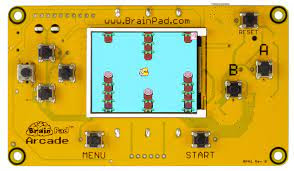
Go to hardware to see the boards on which MakeCode Arcade games run. There are 13 listed at this point, I have one of them, the BrainPad Arcade.

c) Minecraft
Introduction to Computer Science with MakeCode for Minecraft
This is a semester-long course targeted at middle school grades 6-8, as an introduction to Computer Science

11) MicroBlocks, the Internet of Things(IOT) and Raspberry Pi

The developers of MicroBlocks include the lead developers of Scratch (John Maloney), SNAP! (Jens Monig and the Hummingbird Bit (Tom Lauwers) About - MicroBlocks so that alone should tell you that MicroBlocks is special. I had to read an article by John Maloney before I understand how it was special. MicroBlocks supports both live programming and autonomous operation. Users can see and test code changes immediately, yet their code continues to run when the microcontroller is untethered from the host computer

The Activity cards are here. Note that some activities involve the WebThings Gateway on Raspberry Pi.

12) Digital wearables or E Textiles

Stitching the Loop is a fully developed course in E Textiles in which students explore electronic textiles (e-textiles): articles of clothing, accessories, or home furnishings with embedded electronic and computational elements. It meets design, hands on and curriculum integration criteria. For more information watch the video first and then follow the links. Course developers include Jane Margolis who has written a book about why disadvantaged groups don’t get access to computer skills (Stuck in the Shallow End) and Yasmin Kafai who has co-authored a book about why children need to learn programming (Connected Code: Why Children Need to Learn Programming)

Video: Stitching the Loop
Introducing: E-Textiles – Exploring Computer Science
E-Textiles Curriculum & Projects – Exploring Computer Science

I’ve also bought a book by Sahrye Cohen and Hal Rodriguez: Make It, Wear It: Wearable Electronics for Makers, Crafters and Cosplayers (2018) which combines electronics with fabrication technologies such as 3D printers and laser cutters to produce wearable products. Actually, the most commonly mentioned machine in this book is the sewing machine. Just to give you a taste the projects include a Fiber Optic Fabric Scarf, a LED Matrix Purse and others.

13) Tape Blocks
TapeBlock: Creative Circuit Making for All
Creative Circuit Making for All: Including People Living with a Disability
Developed by Dr Kirsten Ellis

I have used these with a Year 7 Down Syndrome girl and she could build and decorate a circuit and explain how it worked. Much more can be done which is outlined at the TapeBlock site.